Kyvera (Formerly, iDataRoom)
Visit
Kyvera is a secure platform that simplifies the way individuals and organisations store, verify, and share sensitive documents while meeting compliance requirements like KYC, KYB, and due diligence.
Background
In early 2025, I was working as a product designer in a design agency. Typically, we were assigned to MVP projects that took us on average, 4-6 weeks to complete. Now, just like every other project I worked on there, I was assigned Kyvera (formerly iDataroom) with my colleague at the time to take care of the design end-to-end. We worked on the product together for the earliest version of v1, and I took over the project as the sole designer for the rest of v1 and the entire v2 phase. I also worked with 3 devs and a PM who helped us at certain stages of the product.
Opportunity
Our client & stakeholders, who were experienced fund administrators in investment funds, management, and depositary, aimed to build something they believed they believed was either absent or not prominent in the Luxembourg market at that time—a single place where entities, documents, and compliance workflows lived together, with verification built into the system. Compliance teams managing complex corporate structures lack a comprehensive system; rather, they rely on a collection of workarounds.
Documents get requested over email, tracked in spreadsheets, and stored in shared drives. When something gets rejected or a requirement changes, the update travels through a chain of messages and manual follow-ups. Our stakeholders were keen on reducing the complexity and repetition prevalent in the industry, and it was our job to figure out how.
Problem
Creating a unified system for corporate compliance work is extremely complex. This isn’t due to the UI, but to how data behaves. There is a lot to consider: jurisdiction-specific requirements, a tangle of entity relationships, multi-stakeholder workflows, and repetitive documents re-uploaded for use across workflows.
The challenge was to create a product that actually simplifies the ambiguity of things for the users as much as possible while maintaining accuracy, traceability, and flexibility.
Process
Align → map → collaborate → review → ship → iterate.
Having understood the project to a larger extent, we broke the project into scrums, moved fast and stayed close to stakeholders throughout. Their context on existing workflows helped us simplify and improve the experience in different phases of the project. Due to my relationship with the engineering lead, it was easier for me to call him at odd hours to get his perspective on certain ideas I had for different parts of the product.
For iterations, we rarely started from scratch. We'd look at what already existed, then figure out how the new piece fits in without creating conflicts or redundancy. This close collaboration helped us a lot as a team. Once the designs were ready, we reviewed them with the client, got sign-off, and handed them off with annotations for a smooth dev implementation.
Solutions
Getting into the app: As prevalent among compliance & enterprise companies we had initially designed the sign up in a way that users Individuals and organisations, will have to verify their identity with relevant documents before getting access into the product but we realised along the way that won’t only affect adoption but also keep things complex than necessary because not every part of the product need such heavy verification before access so we decided to strip that off from the onboarding and put it only where necessary; creation of entities for organisations & individuals.
Overview
The dashboard gives users a quick snapshot of everything happening across their requests: what is coming in, what is going out, the overall count, and each status at a glance. From there, they can open any request, see exactly what was asked for, review any notes, check what has been submitted and what is still pending, and respond without having to navigate anywhere else.
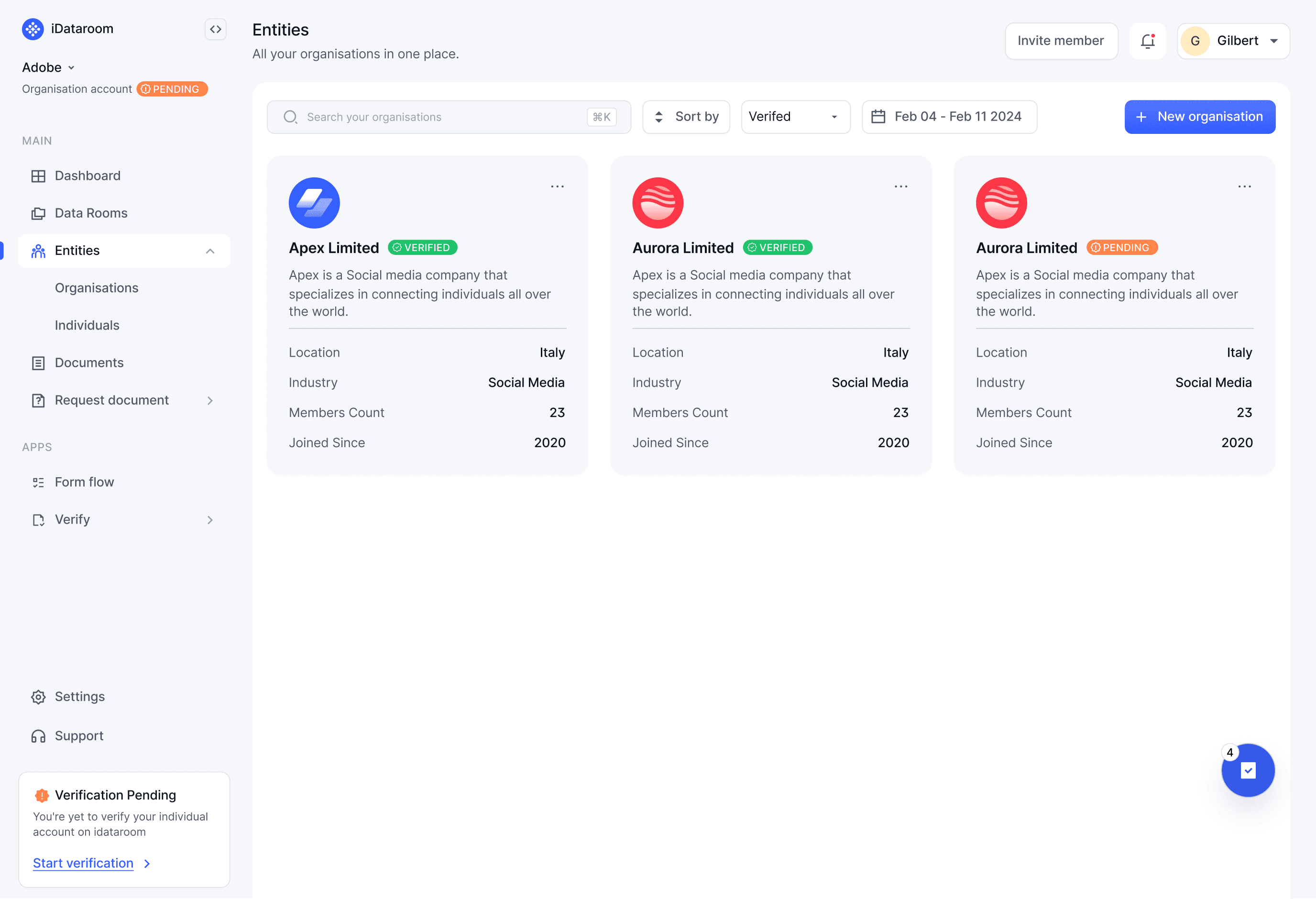

The Entity System
The starting point: The dashboard gives users a quick snapshot of everything happening across their requests: what is coming in, what is going out, the overall count, and each status at a glance. From there, they can open any request, see exactly what was asked for, review any notes, check what has been submitted and what is still pending, and respond without having to navigate anywhere else.
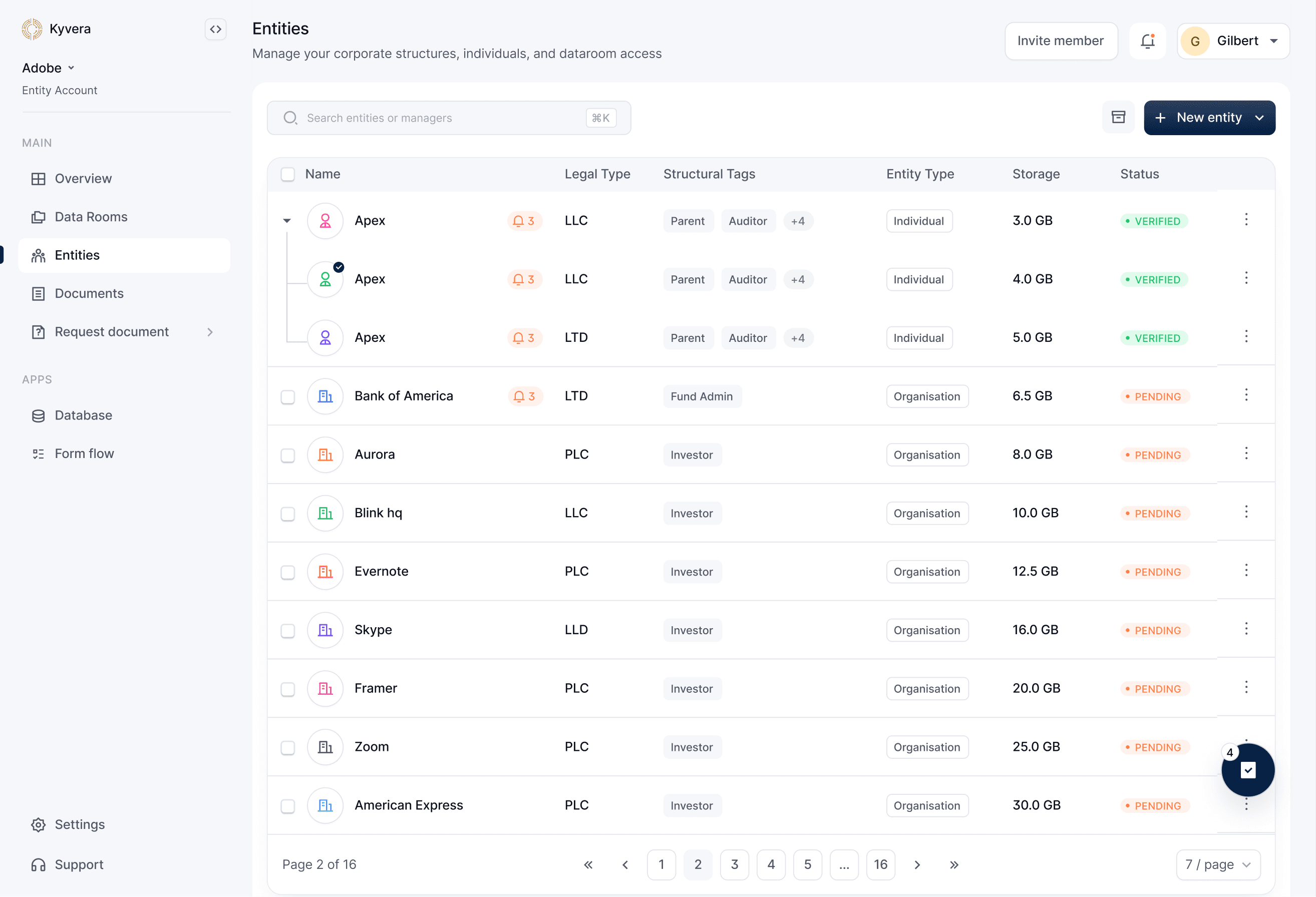
V2- The Shift: For V2, the direction changed. We wanted compliance officers, financial CFOs, and anyone involved in KYC/KYB onboarding to be able to not just find an entity, but understand it, view its details, visualise its ownership structure from both an internal and investor perspective, see the individuals connected to it, track its data network, review audit logs, and manage related parties.
The workflows involved in making this a reality were quite entangled and complex, but the core design challenge was to make it feel manageable, not by hiding information, but by presenting it progressively in a way that matches how a compliance officer actually thinks through an entity.
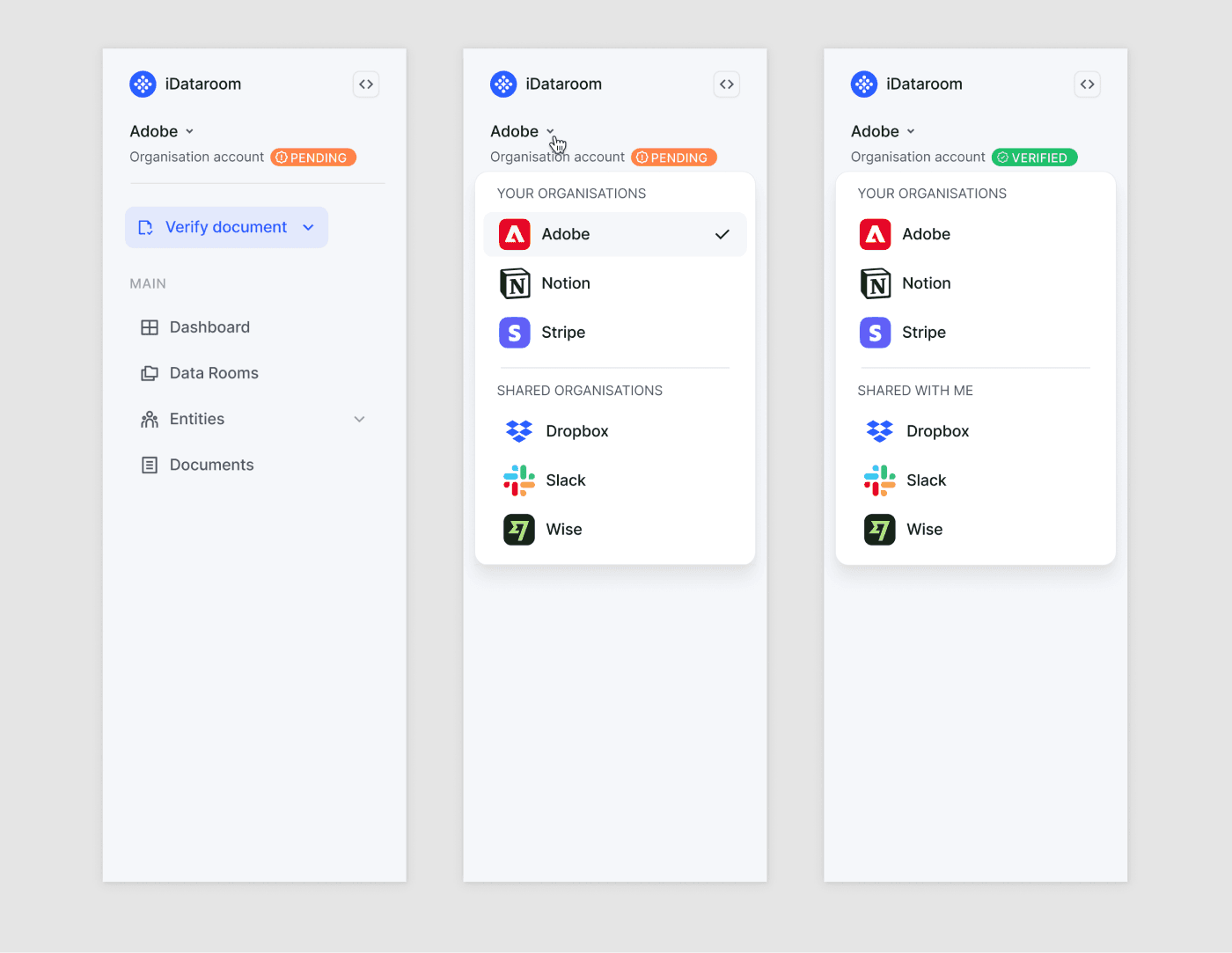
v1 iteration
v2 iteration
Side navbar.
4
Structure
This was one of the most challenging and exciting parts of the entity system to work on. The goal was to communicate how entities, individuals, and organisations relate to each other from an organogram perspective: who owns the focused entity, how deep those relationships go, and who the key members are in its day-to-day running.
Considering that, I knew the design needed to let a compliance officer take a quick look and immediately understand the associations and ownership, without having to piece it together mentally. After a couple of iterations, I arrived at grouping relationships by association and ownership rather than a flat list. That decision came after running into real problems with structures that went deep, sometimes up to 10 levels, both horizontally and vertically. A flat view collapsed under that kind of depth. Grouping gave it structure without hiding the complexity.
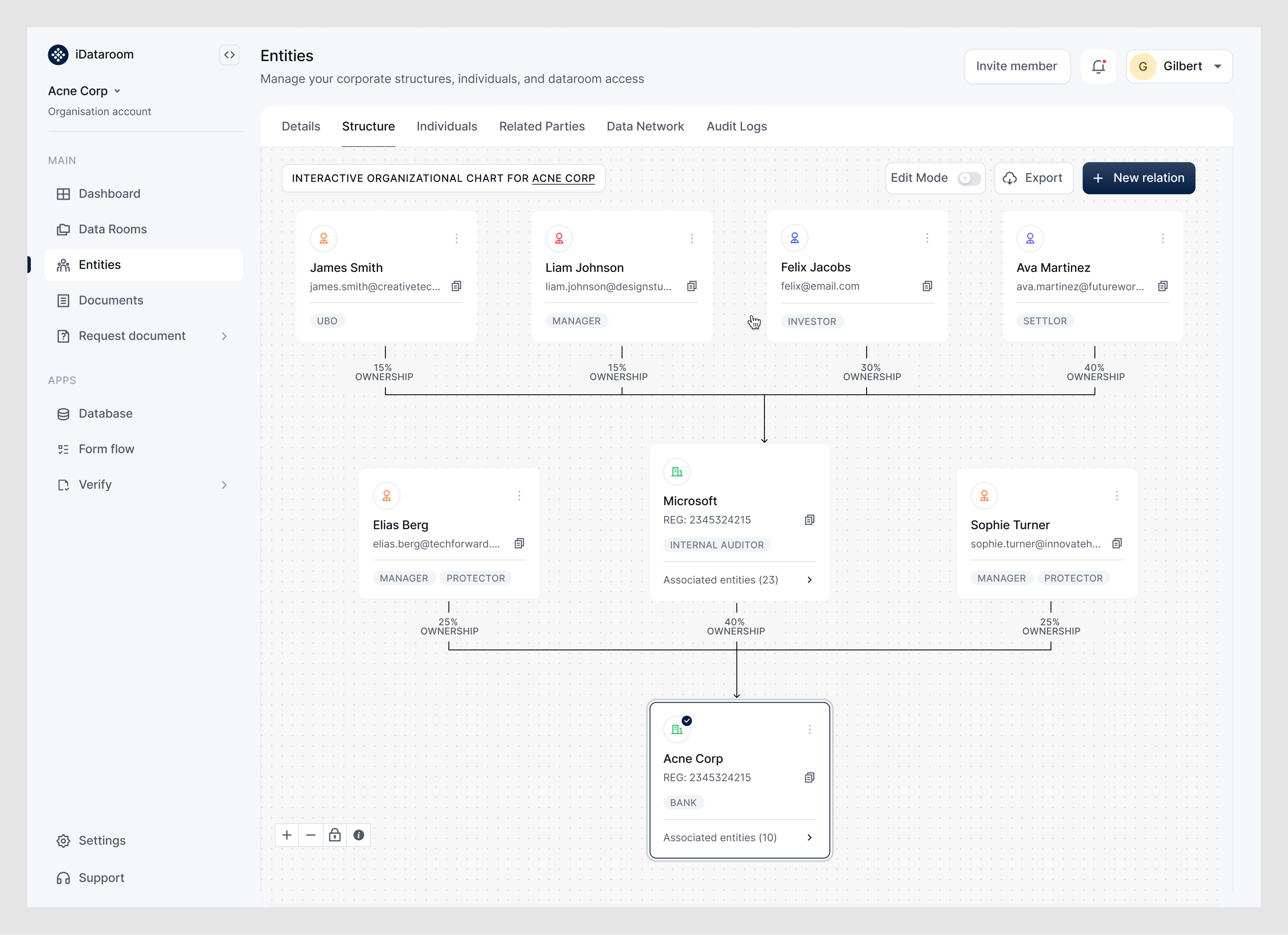
Ownership mapping
Entities in Kyvera are not standalone records. Each sits in a web of relationships: ownership percentages, roles, and parent-child links. We made ownership mapping a core part of entity creation so users could set relationships as they go, assign roles while searching for counterparties, or create new entities mid-flow.
Those relationships became the foundation for everything else: data rooms, document requests, and AI generation. If the structure is incomplete or inaccurate, anything built on top of it can be too.
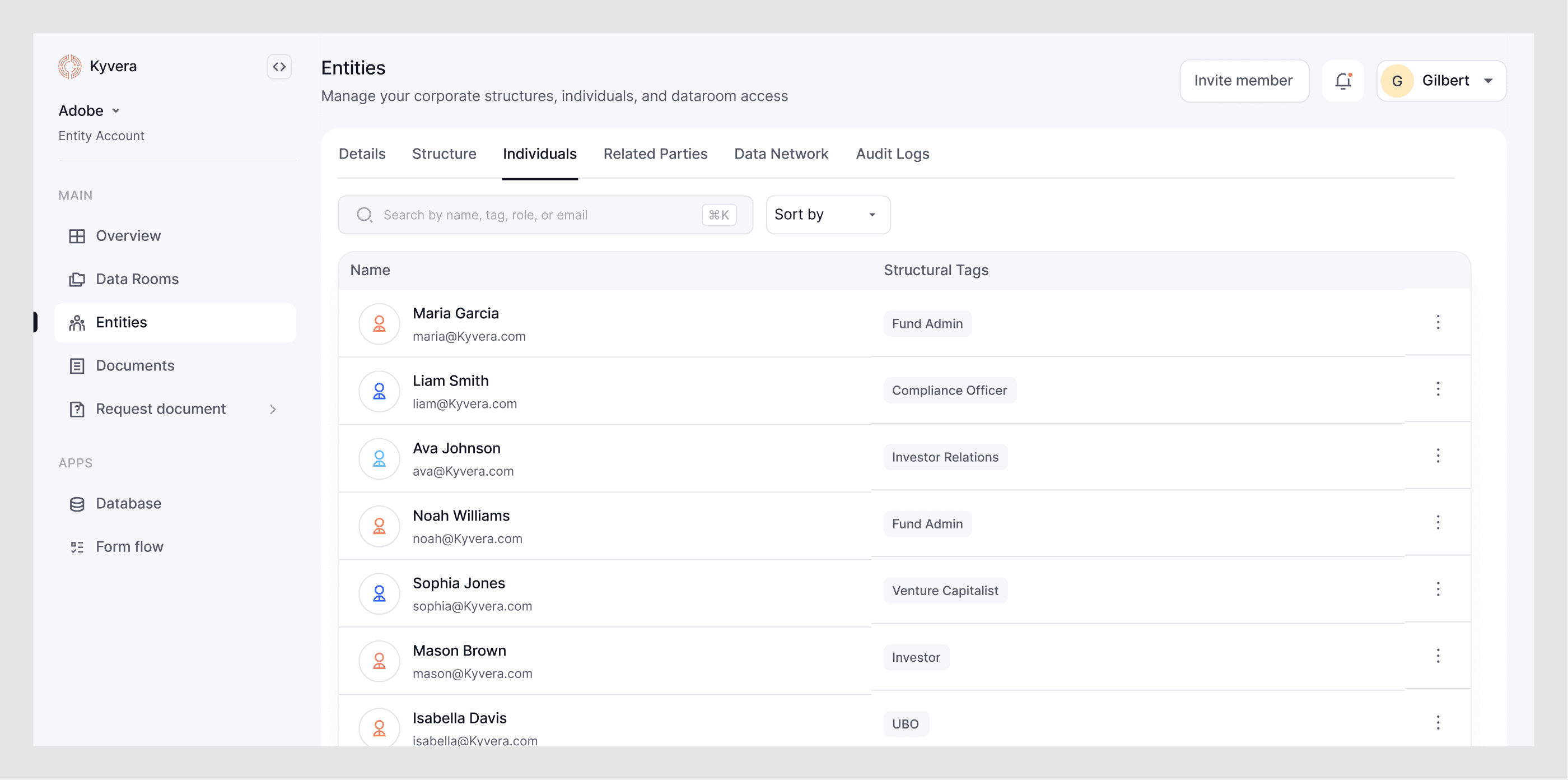
Individuals
We brought every individual associated with an entity into one place. So it is easy to see who's linked to the structure, request documents from them, share files, with roles clearly visible throughout, without having to dig through separate views to find who someone is or what their relationship to the entity looks like.
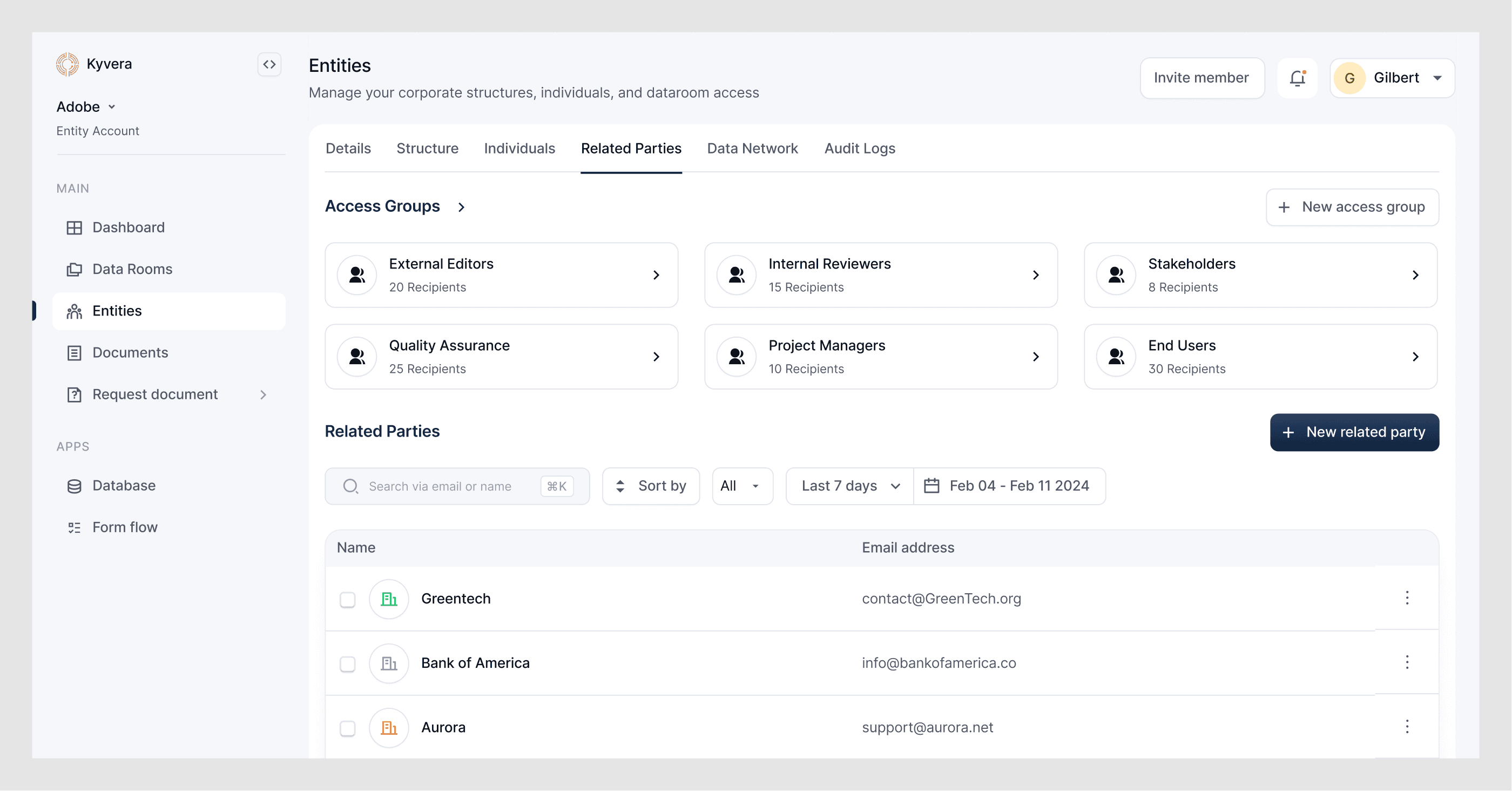
Related parties & Access groups
Related parties are a curated list of the entities you work with most often. They let you share or request documents quickly without having to search every time. Access groups go a step further. They are reusable distribution lists you can build from related parties, Kyvera accounts, organisations, or external emails. They are useful when you need to share a data room or documents with a specific group of people in one go. Both features were designed to reduce repetitive sharing of work.
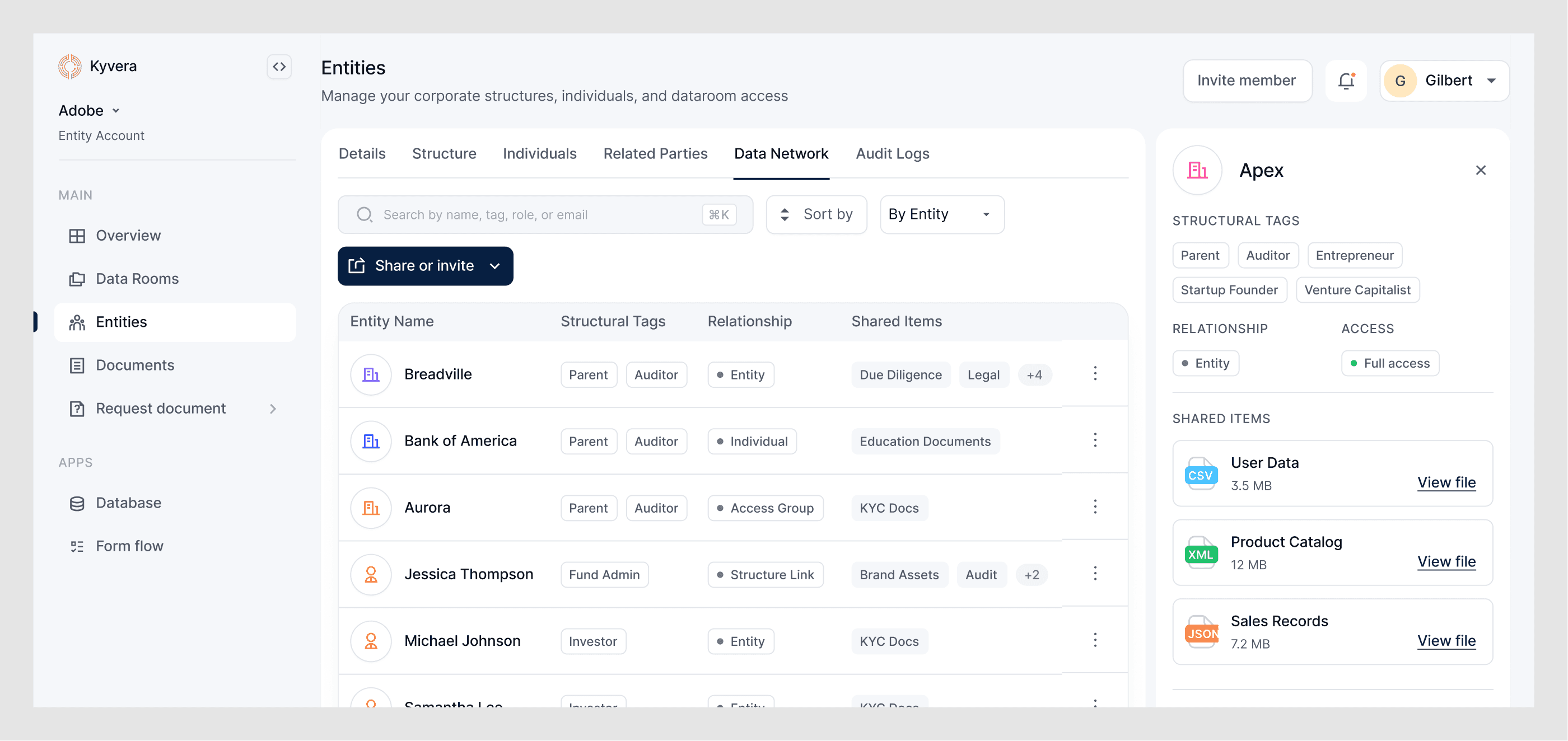
Data network
This tab was designed to show a comprehensive list of every entity, individual, and group that has a sharing relationship with the focused entity. The idea was that a user could click into any of those connections and see everything that had been exchanged between them. It keeps a clean record of partnerships and data-sharing history without having to leave the entity view.
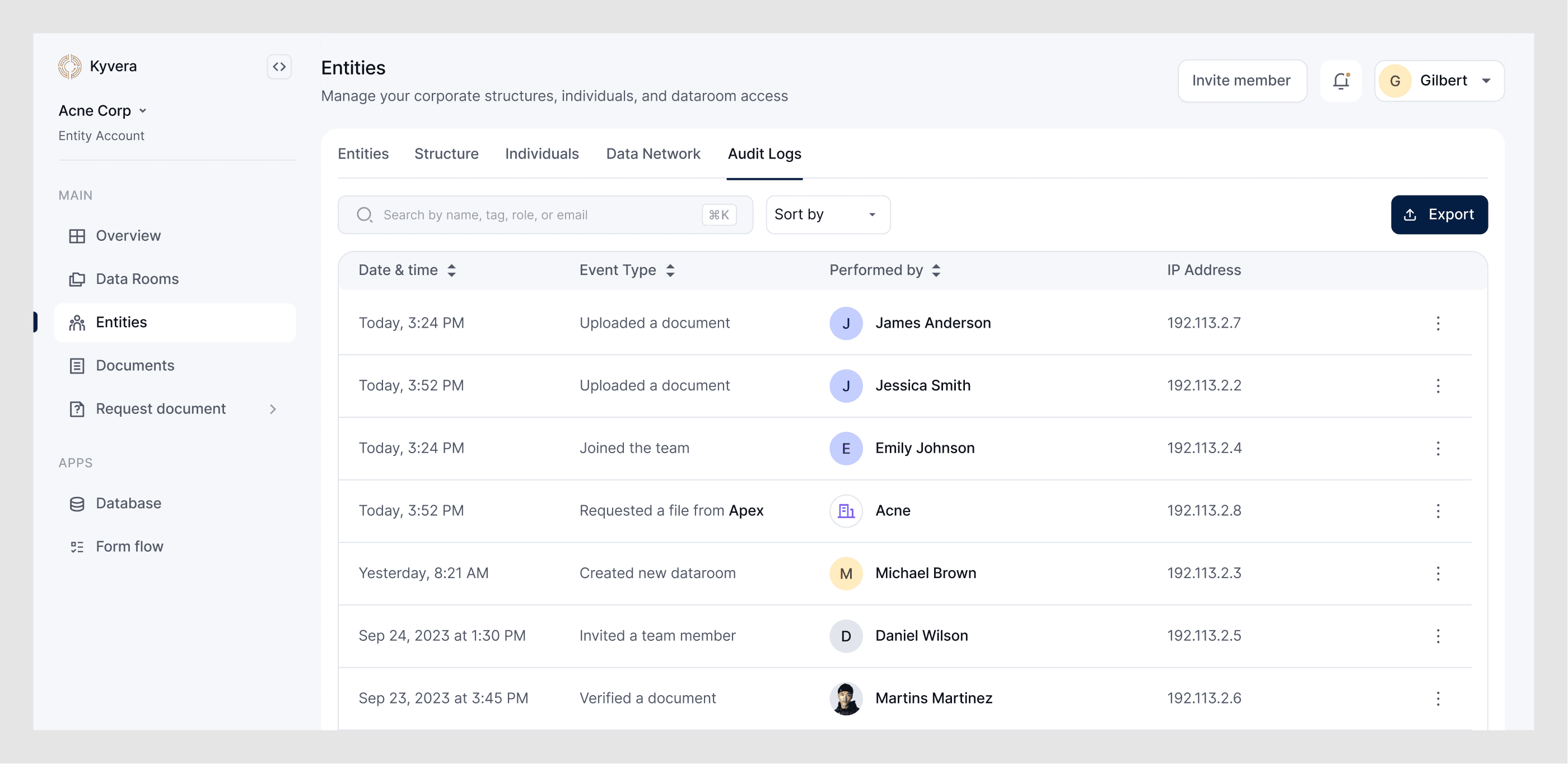
Audit logs
A comprehensive, immutable log of every activity and change tied to a focused entity, exportable when needed. The design goal was to keep it clean and decluttered. The data was always going to be dense, so the filters did the heavy lifting to make sure users could find what they needed without wading through everything at once.
Data rooms
Most data room products are basically containers: you upload documents, set permissions, and share a link. We needed something that worked more like a compliance layer.
The teams we were designing for did not just need to store files. They needed to prove compliance by showing that the right documents were requested, collected, reviewed, and verified against a clear set of requirements, and using a basic folder seemed insufficient.
So we tied data rooms directly to entities and their workflows. The end-to-end flow looked like this: Entity → Data Room → Request → Upload → Review → Feedback → Verified. Every step was traceable, and every action was timestamped and attributable.
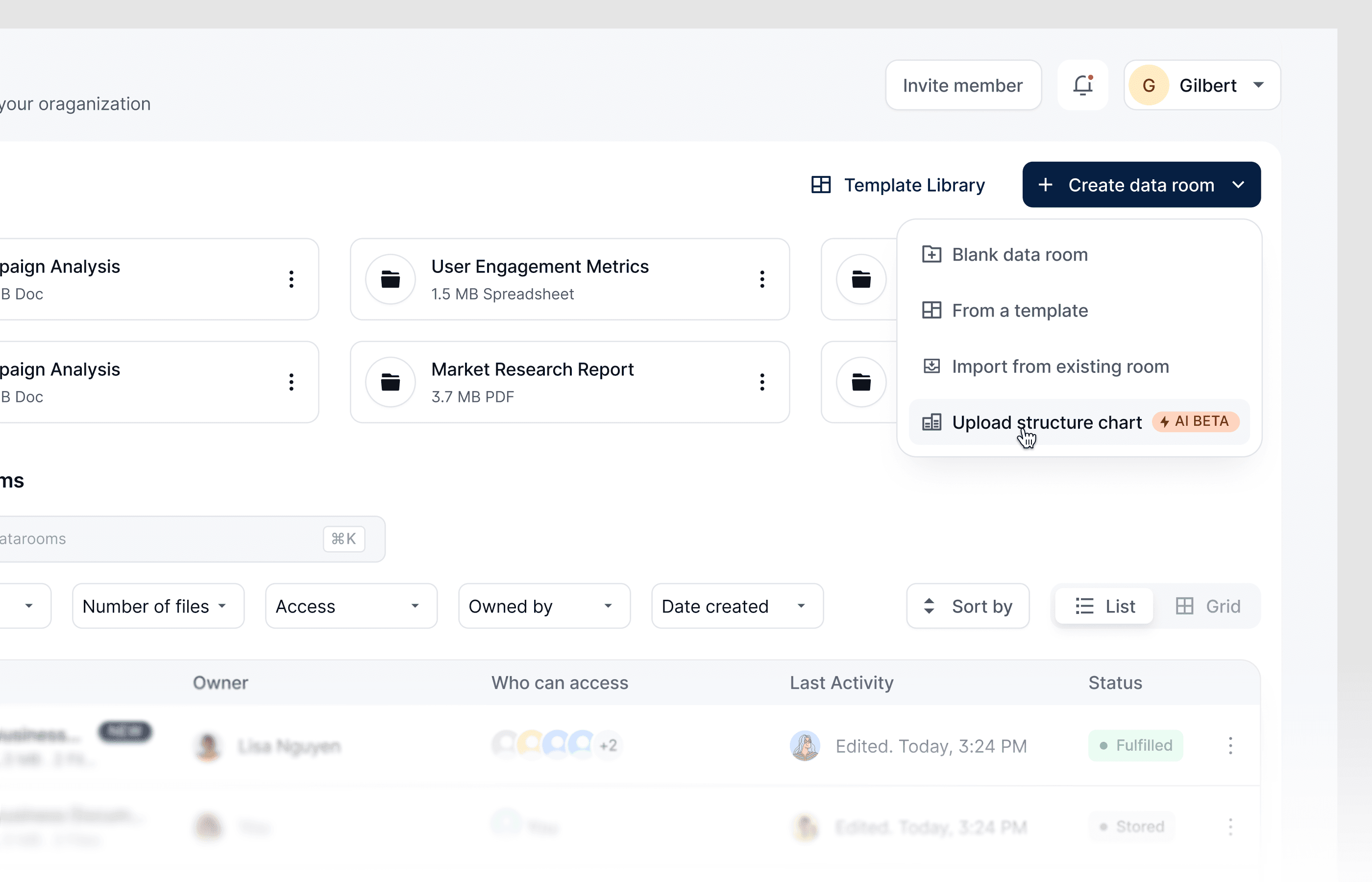
Creating blank data rooms: Not every data room is part of a compliance workflow. Sometimes a team or a user just needs a simple place to store files and share documents, without checklists or predefined requirements. We supported that too to make the product feel more flexible.
Importing from existing rooms: In this space, many workflows are built around the same compliance requirements. Instead of rebuilding checklists for every new room from scratch, users could duplicate an existing room and import all associated checklists.
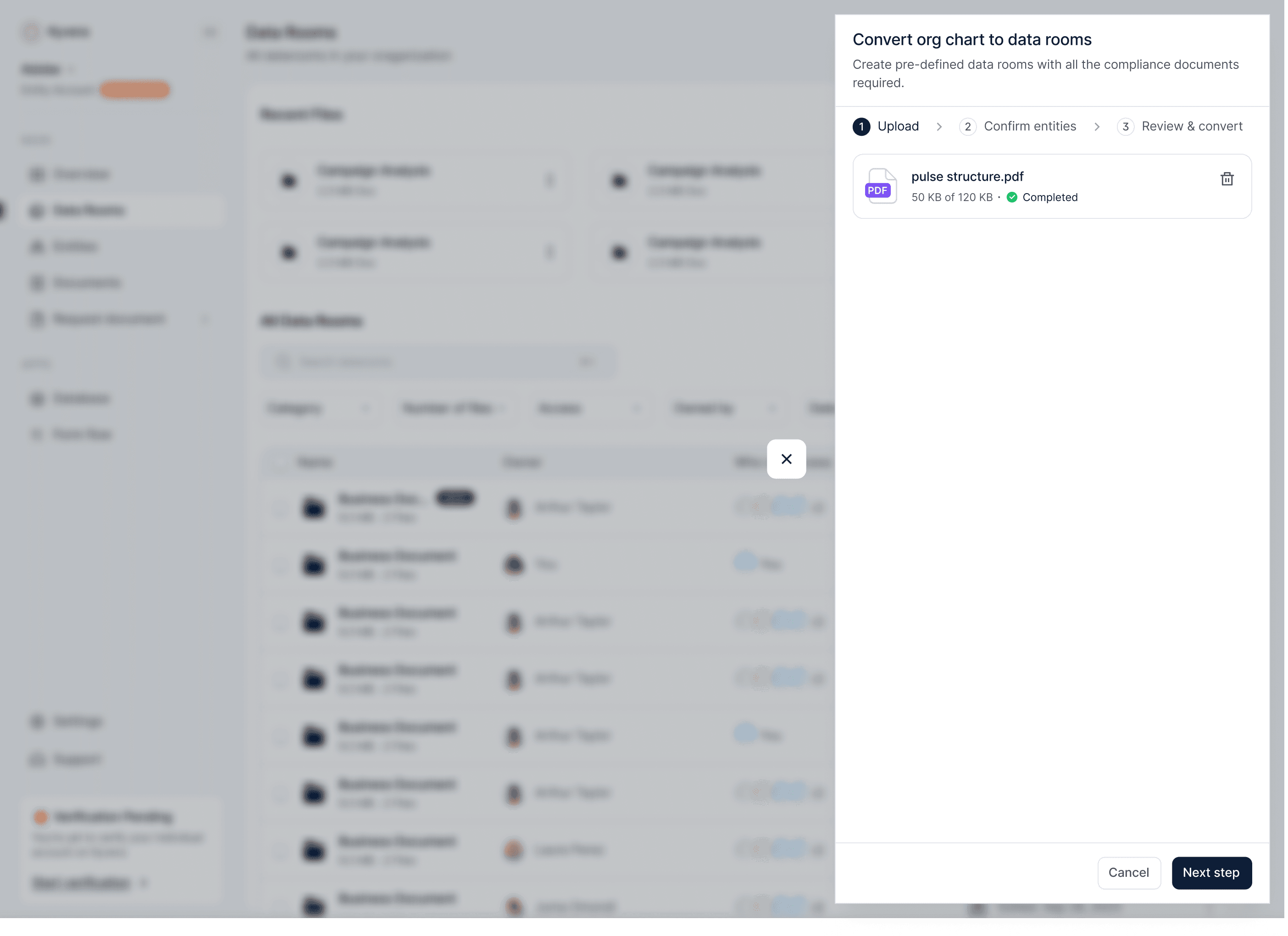
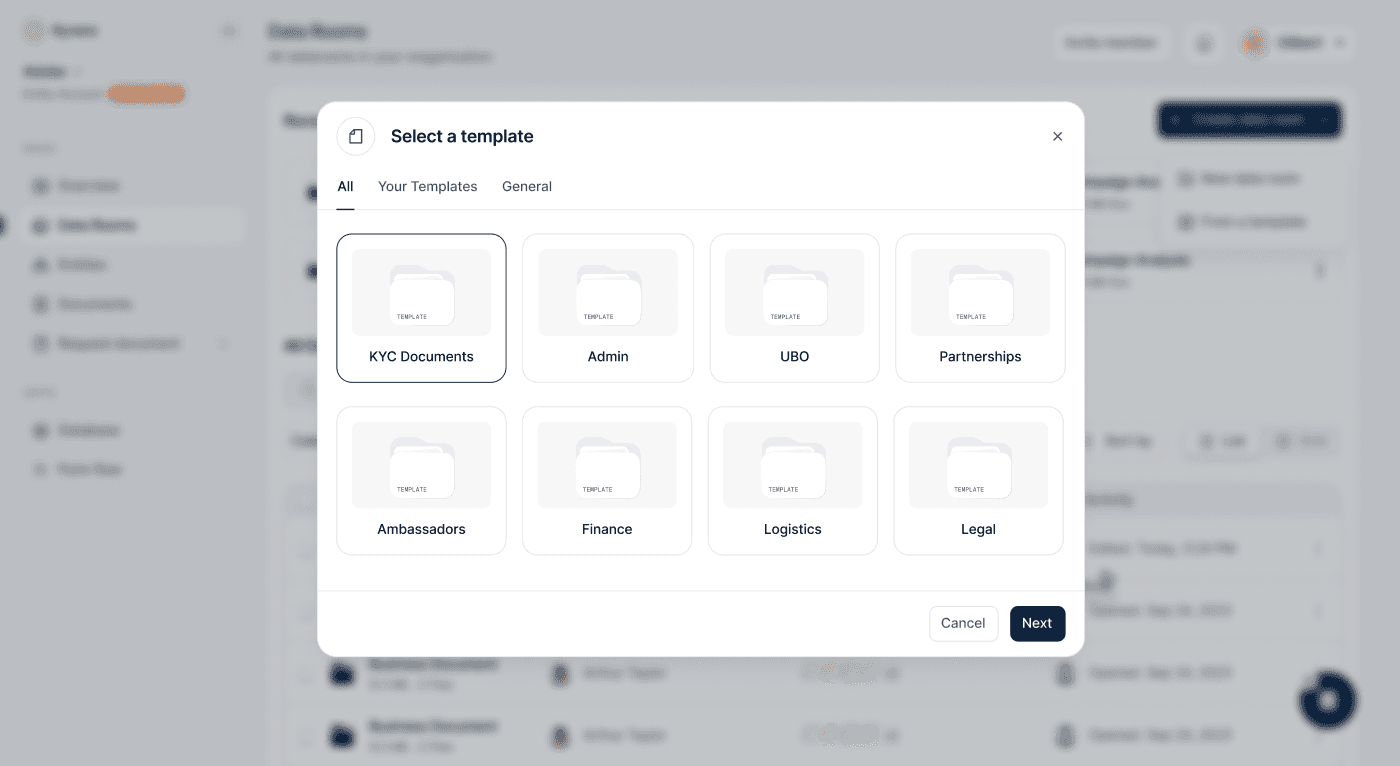
Templates: For teams with their own internal requirements or those working across jurisdictions, we built a template library. Pick a template, customise it for your context, and generate the data room.
Document Workflows
For most compliance teams, document collection is chaotic. People chase counterparties over email, track what has arrived in spreadsheets, handle rejections manually, and try to keep everything organised for review. Most teams end up juggling three or four tools at once.
We brought the whole flow into one place: Collect → Request → Organise → Review → Close
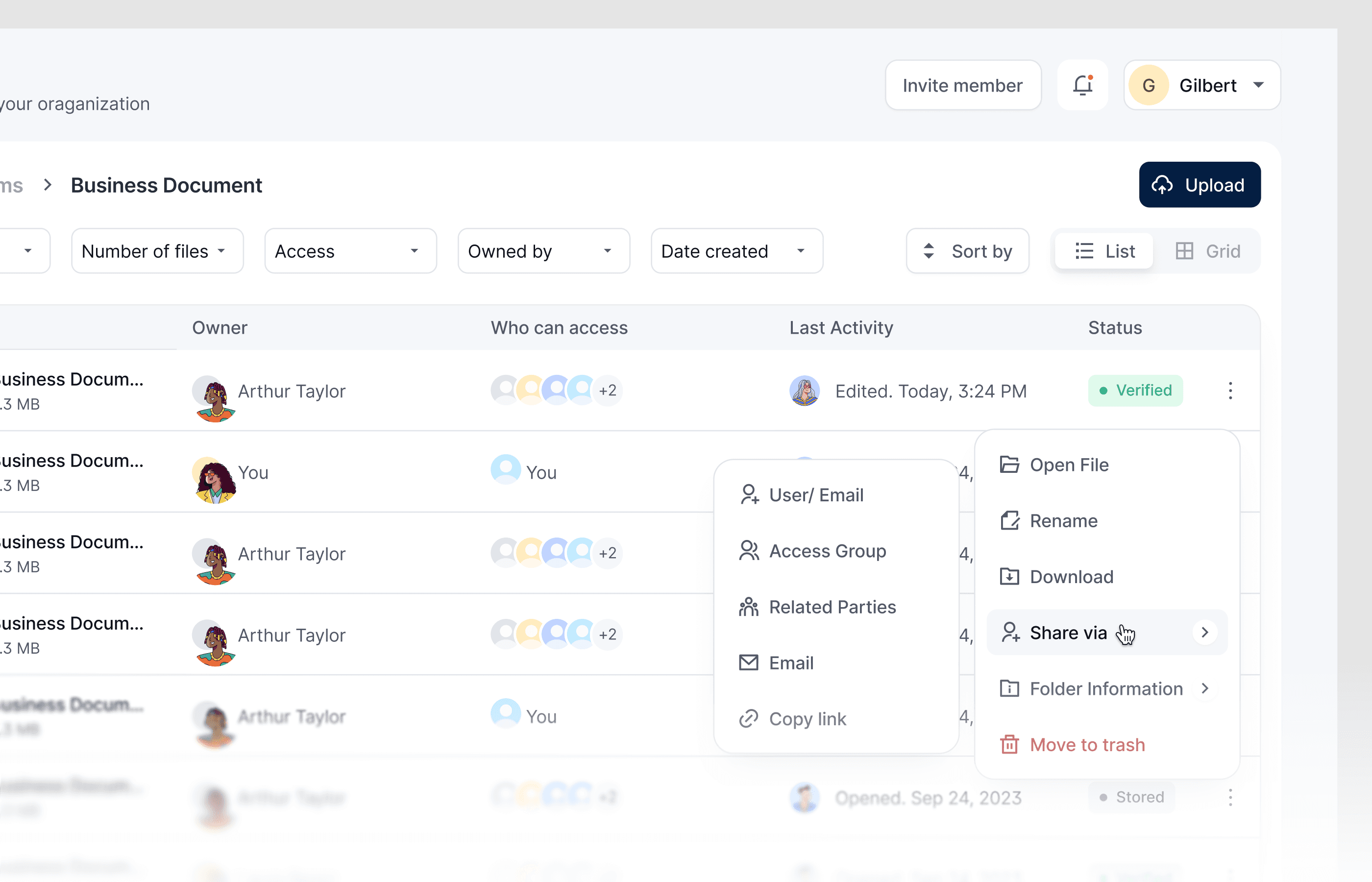
Sharing a document: To keep document workflows moving, we gave users five ways to share a file: to a user account, through an access group, via related parties, by email, or with a copy link.
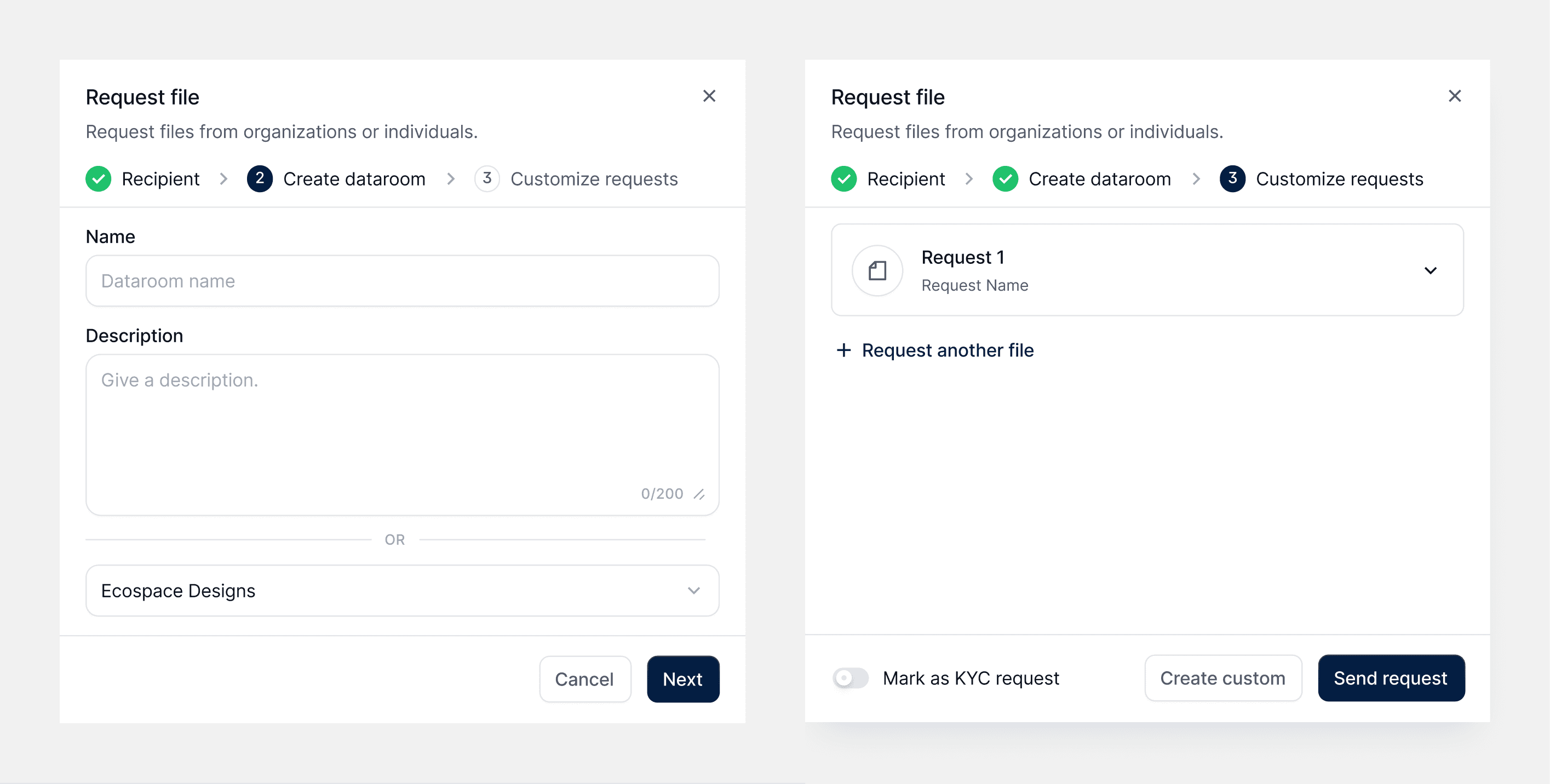
Requesting for a document: This was one of the most used features for both standard and KYC workflows. Requests start with the recipient, either by entering an email or selecting a related party already linked to the entity. From there, the user either creates a new data room or picks an existing one.
If they create a new room, they build requests from scratch. If they choose an existing room, the system checks whether it was generated from an org chart. If it was, the relevant checklists appear automatically, with each requirement already turned into a request. The user can add, remove, or ignore items, and they can still create custom requests. If the room has no predefined requirements, the user just defines the requests manually.
For entities already on Kyvera, there is also a faster option: download a document from the registry without sending a request.
Fulfilment, review & feedback: When a user fulfils the requirements of a request, each document moves through clear statuses: Pending → in-Review → Accepted → or Rejected. Rejections required a reason, so counterparties always knew what to fix before resubmitting. This feedback loop was key to helping teams close requests quickly.

Public Pages
The marketing site needed to do one thing well: explain the product to people who had never used it, without watering down what it actually does. This was not a casual audience. It was financial institutions, law firms, and asset managers, many of whom had tried “simple” tools that created more work. So the copy, typography, colour, and overall visual system had to feel as trustworthy and considered as the product itself.
Lessons learnt
Documentation: During this project, I learned how to create clearer developer annotations. This improved handoff and reduced both prototyping time and the number of calls. Personally, it also helped me reflect on why I made certain design decisions throughout the project.
Brainstorming and talking to people on the team often makes most of the work easier.
Collaborating better with non-technical stakeholders.
Talking to users early enough shapes direction and provides clarity.